
Blog

Recent posts
SEARCH RESULTS FOR: Design Order
If you’ve logged into Workspace recently you know we’ve launched Workspace 3.0 Not just another upgrade, it’s pretty massive! The key idea. instead of separate tools for different tasks, Workspace 3.0 brings everything together in one connected system. One subscription gives you everything from website and video delivery to client and task management, galleries, sales and product delivery. No disconnected tools. Try it right now with a Queensberry account You can login with your email . There's a reset password option if you’ve forgotten. You can continue To View More >>
This entry was posted in Product Updates by Alexandria Baugh
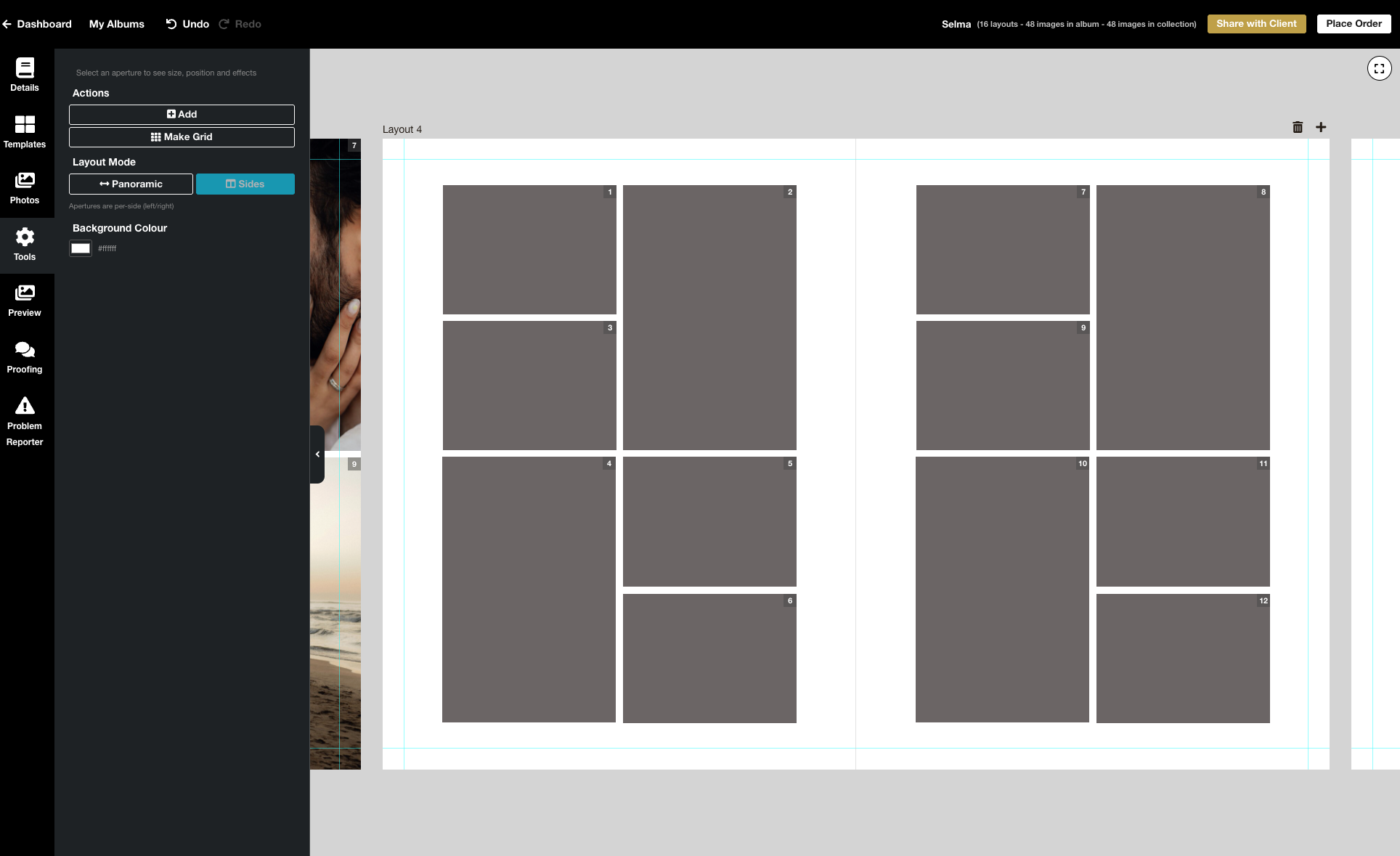
We’re excited to release the biggest update yet to our online Album Designer, focused on the things that matter most when you’re designing: control, speed, and precision. Here is a full list of what’s included in this release: Simple to use, faster and more fluid Our goal is to help you design beautiful albums easily, and you certainly can’t miss the improved performance! Even albums with many high-resolution images feel faster and more fluid: * Faster rendering * Fast movement between pages * Smoother drag-and-drop function * Reduced load times * Improved responsiveness To View More >>
This entry was posted in Product Updates by Stephen Baugh

Still working on getting albums approved six, nine, twelve months down the line? This will be eating into your time and your profit. Here are some simple ways to get albums approved quickly, while adding value for your client and offering them a great experience. 1. Get in quick! There's before the shoot and there's after the shoot. Before, they're looking at your products (yeah, nice!) and photos of … other people. Afterwards they have your photos of them to fall in love with — and they will. But get in quick! — before the emotion of the To View More >>
This entry was posted in by Victoria Hollings
Designing albums doesn't have to be difficult or take a lot of time. We show you how to simplify your album workflow and design your own albums with just a few of the features available in Workspace. So easy! Of course you can also use our design service (free with your album order) or third party apps like Fundy or SmartAlbums. Need extra help? You'll find plenty of articles about Workspace and Queensberry products and services on our main website and help centre, but click here for helpful video tutorials and articles about the Album To View More >>
This entry was posted in by Alexandria Baugh
We've just released thousands of new templates for our online album designer, and we'd love you to try them out. Although we're not quite finished yet all our most popular album types and sizes are included, including matted albums — both Duo and Overlay Matted! Flushmount, Q-Books and Portrait Albums have been updated as well. You'll find a list below. The new templates all reflect our Queensberry Design Service style, so you can be sure they'll look great and comply with our production requirements. If there's a template you'd like to see added, just send a To View More >>
This entry was posted in by Victoria Hollings

The Queensberry online album designer is a great on the go resource that makes designing albums quick and easy. You can share your design with your clients for proofing, or share a slideshow of the finished design by email or on social media. Here's how to upload a song to Workspace, attach it to your album slideshows, and share them just like you share your image galleries. 1. Upload your chosen song In Workspace’s main navigation click “Settings” then "Appearance". Go to the Music tab to upload your music track. Please ensure you have the rights to use it before To View More >>
This entry was posted in by Alexandria Baugh

How do you design a Queensberry album? Well, we can design it for you, or you can do it yourself using third party software like Fundy or SmartAlbums, our desktop application Photojunction, or the Workspace Album Designer. But — let's be frank — until now the Workspace design feature has been just a little underpowered! We've been working hard to change that, however, and we reckon Workspace Album Designer is turning into a powerful and intuitive program that for many people could just be their best choice. To View More >>
This entry was posted in by Ian baugh

You've sent your album design to your client for proofing, now what? Using a proofing system could be a little daunting if you've never done it before, so we've created a tutorial specifically for your clients to follow so that you can get their feedback and order the album. We've even made it so when your client opens up their album design, the tutorial will appear in front of them so there's no need to do anything. Do you have any feedback? We regularly update album proofing to make it work better for you. Contact us if you have any comments or suggestions. Victoria To View More >>
This entry was posted in by Victoria Hollings
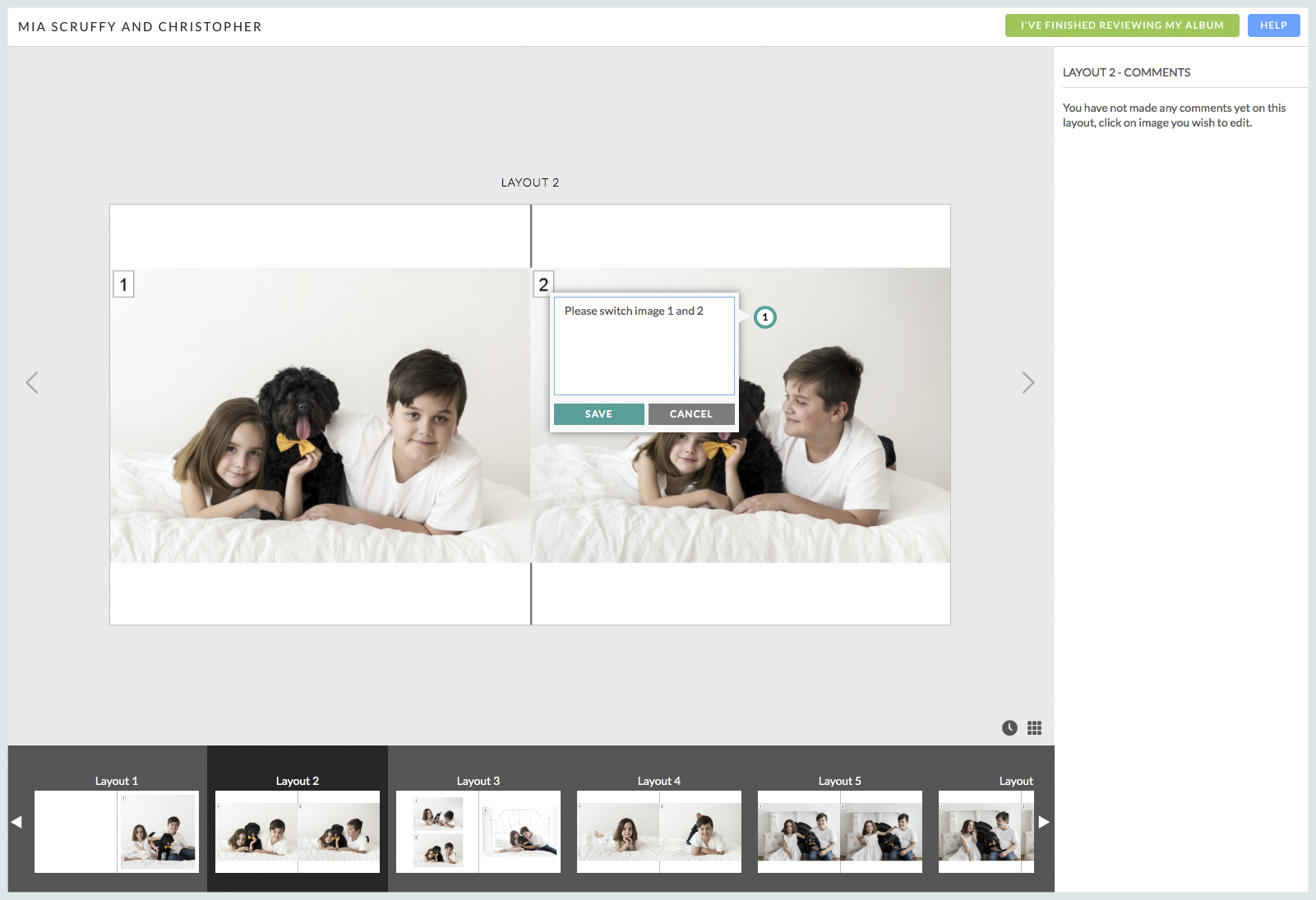
Workspace Album Proofing takes the hassle out of communicating with your clients about their album design. It's a transparent and intuitive way for them to communicate their requests for changes and, when they're ready, to approve the design so you can confirm their album order. New functionality and a simplified interface make Workspace a great solution for managing your Queensberry album designs. And if you're not using Workspace for image hosting and sales you won't need a paid plan to use it. Updates to Comments: Comments are organised To View More >>
This entry was posted in Product Updates by Alexandria Baugh

Following on from last week's post, here are a few more album design tips. For all you photographers designing your own. Let them breathe… We touched on cropping last time, but it's worth repeating! Sure photo-bombing is fun, but generally we like the core elements of an image to have a nice amount of breathing space to the edge of the page, or image "frame". In fact think of it exactly like framing a picture: it gives the subject a sense of intent and importance. Jamming things up against the image edge often looks awkward. But "breathing To View More >>
This entry was posted in by Alexandria Baugh


